A lot of my reading happens on hikes. I listen to the audiobook while I walk, and when I stop for a break I either keep listening or switch to my Kindle.
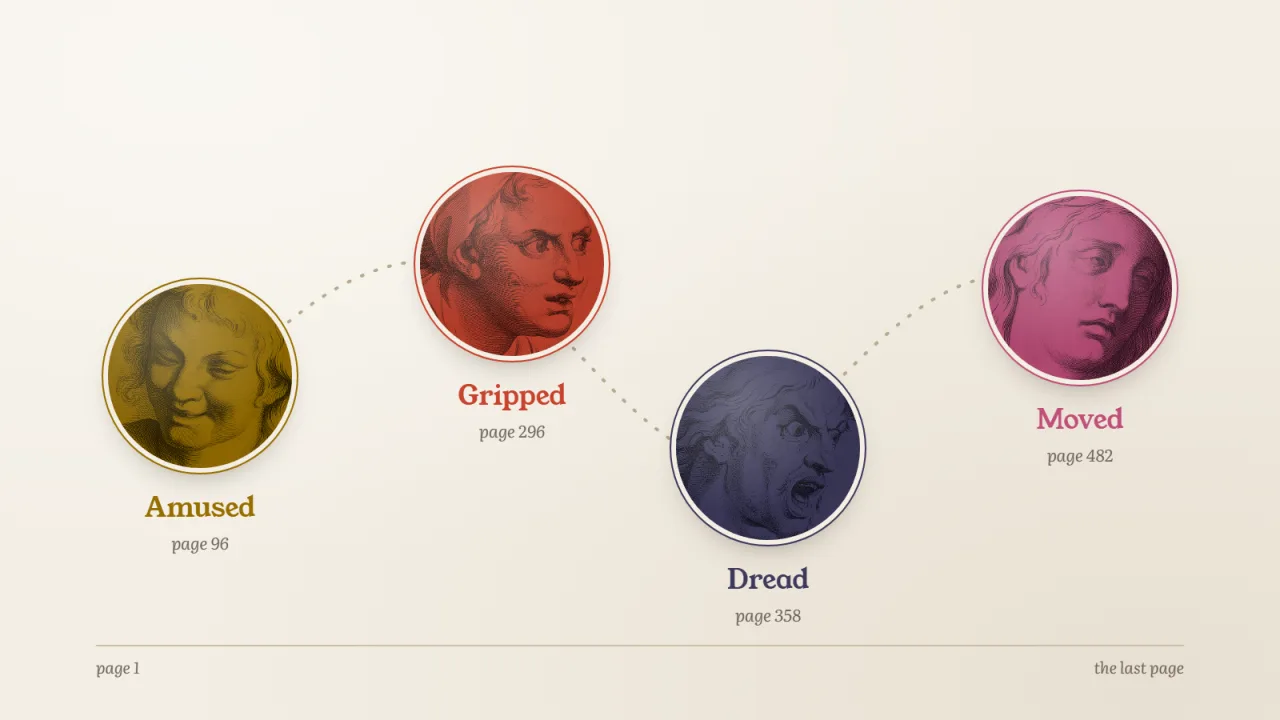
Dungeon Crawler Carl made me laugh out loud on a trail with nobody around, which is a strange look. A man in his boxer shorts and a cat in a tiara end up on an alien reality show set inside a dungeon, and the jokes keep coming. Then, somewhere past the middle, a chapter I wasn't ready for had me sitting on a rock for a while, just staring. A few chapters later I wanted to punch the air.
Malazan was different. Gardens of the Moon dropped me into a war with no map and a huge cast, and for a good while I mostly felt lost and curious. By Memories of Ice I was hooked, worried about people I'd grown to love, and then there's Itkovian. If you've read it, you know. If you haven't, I won't spoil it. It's one of those scenes you carry around for a while.
And some of my favourite books did just one thing. Terry Pratchett makes me laugh out loud every time. So did Tales from the Gas Station. No big swings, just a book-long grin, and I loved them for it.
A star rating keeps none of that. Five stars for all of them, and nothing about the trail, the rock or the week I spent sad about fictional soldiers. So I started logging how each sitting felt, one word at a time. Seekquel calls it How it felt. Here's how it works.
If you only have a minute:
- Each time you log reading, tap one word for how that sitting felt. It takes a second and it's never required.
- Your moods line up along the book, so you can see where it made you laugh and where it hurt.
- When you finish, say how the ending left you.
- Over time you learn what you actually want from a book, which a star rating can't tell you.
Why keep a mood journal for books
We forget how a book felt much faster than we forget what happened in it. Ask me about a fantasy novel I finished two years ago and I can give you the plot. Ask me whether it was fun to read and I'm guessing.
That matters when you pick the next one. "I loved it" covers a cozy mystery and a book that ruined my week. Those are two very different Friday nights.
A mood journal fixes that with almost no effort. One word, at the end of a sitting, while the feeling is still fresh. After a few books you start to see a pattern. After a year you know what kind of reading you actually like.
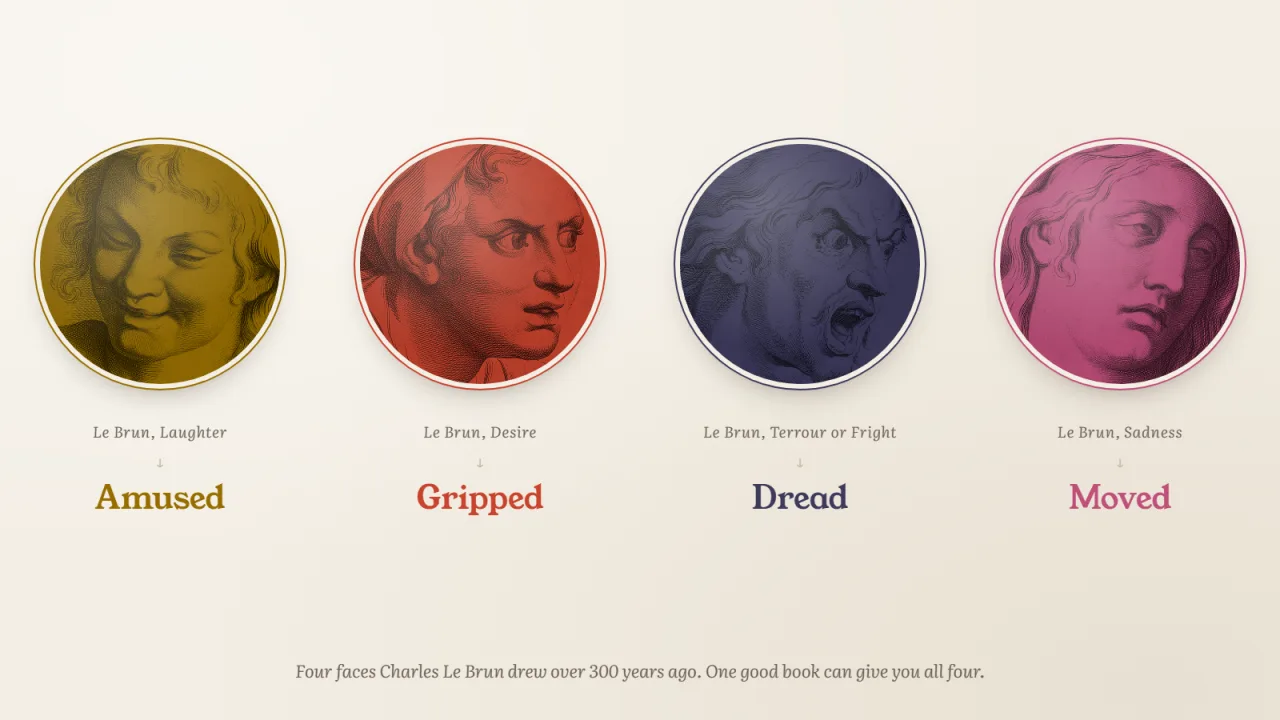
Seekquel gives you twelve words to choose from: Curious, Absorbed, In awe, Gripped, Dread, Exhilarated, Amused, Melancholy, Nostalgic, Moved, Connected and Cozy. Each one has its own colour, so after a while you know Dread on sight.
Step 1: Tap a mood when you log reading
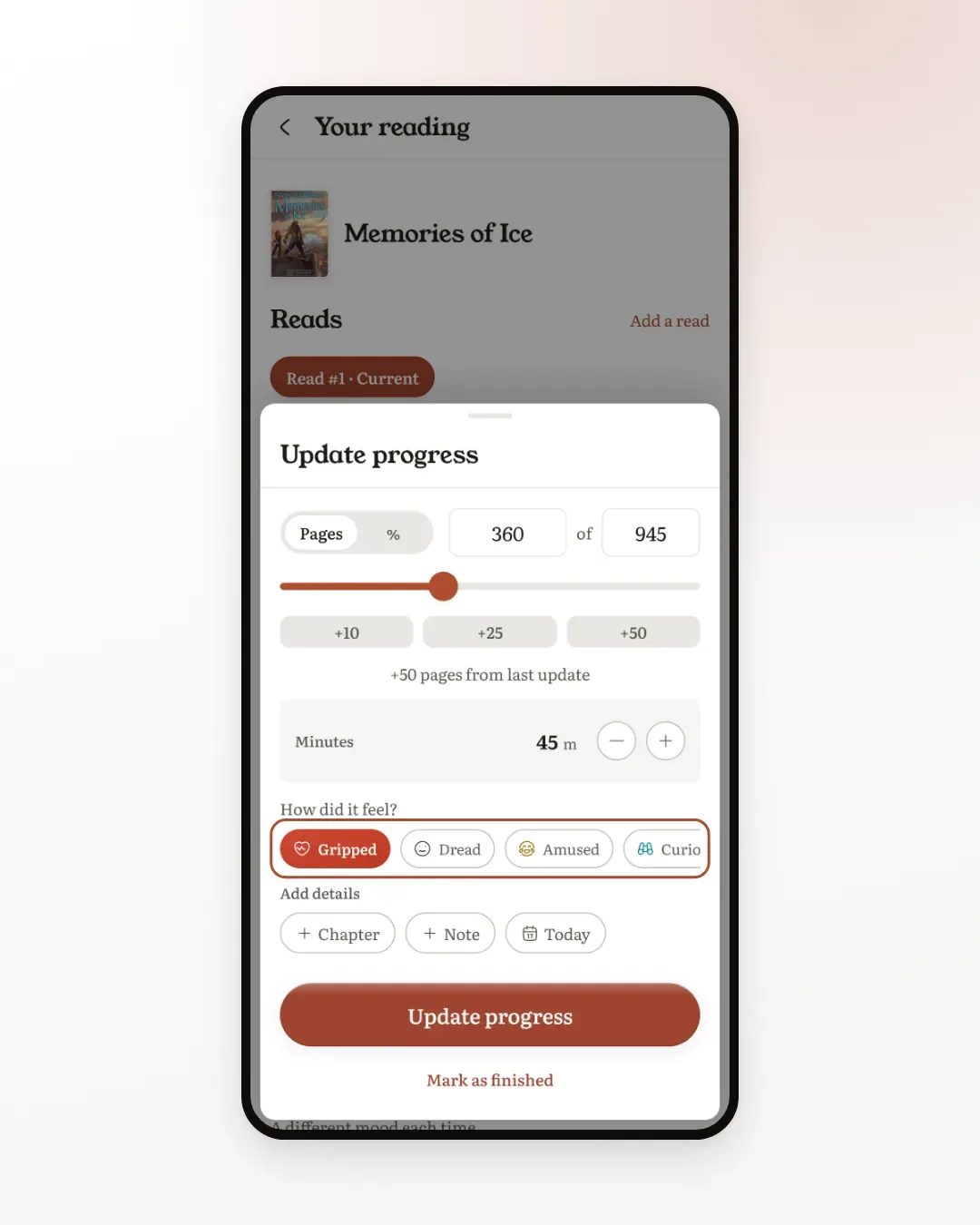
Open a book you're reading and tap Log reading. Set your page and your minutes the way you always do.
Under the minutes there's a row called How did it feel? Tap one word. That's the whole step.
A few things worth knowing:
- It's optional. Skip it on a sitting that felt like nothing in particular. The log saves either way.
- Your usual moods come first. The row puts the moods you pick most at the front, so the one you want is usually already in view. Swipe the row for the rest.
- Pick the strongest feeling, not the average. If one page made you gasp in an otherwise quiet hour, that page is the sitting.
It works the same for an audiobook. On a hike I log at the next stop, whether I was listening or reading on the Kindle. The same row is also there when you stop the reading timer.
Step 2: Watch the journey grow
On the book's page, open Your reading. Scroll to How it felt.
Once a book has two moods, they show up on a line that runs from the first page to the last, each one where you felt it. Every new mood lands on the line when you log it.
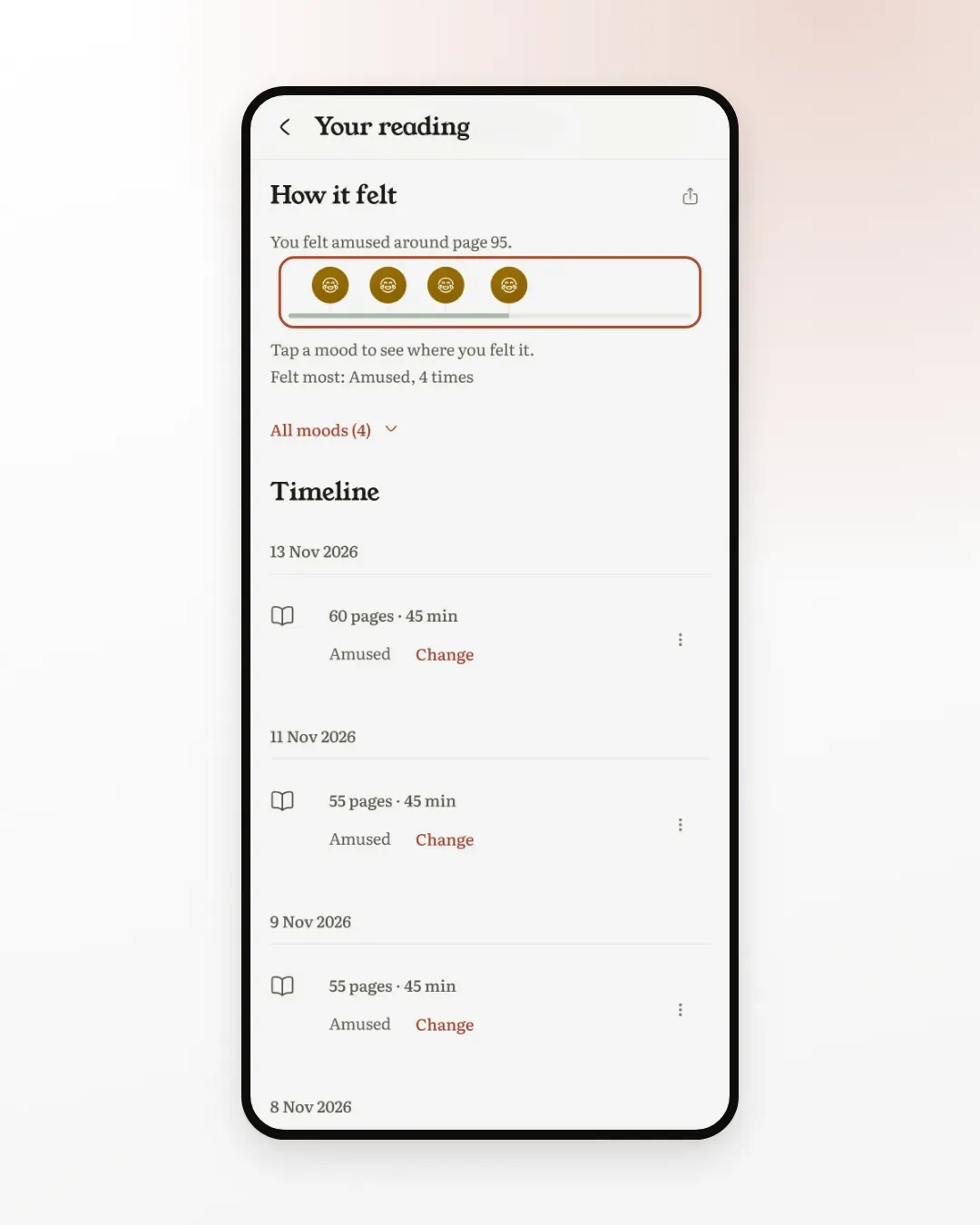
Not every line needs to be colourful. Halfway through a Pratchett, mine is a row of the same dot, and that's exactly what I wanted from it.
Step 3: Read the shape of a finished book
Finish a book and the line fills in, end to end.
Tap any mood and the line below tells you what it was and where: "Moved, page 482 of 640". Underneath, Seekquel names the mood you felt most, and where it sat in the book.
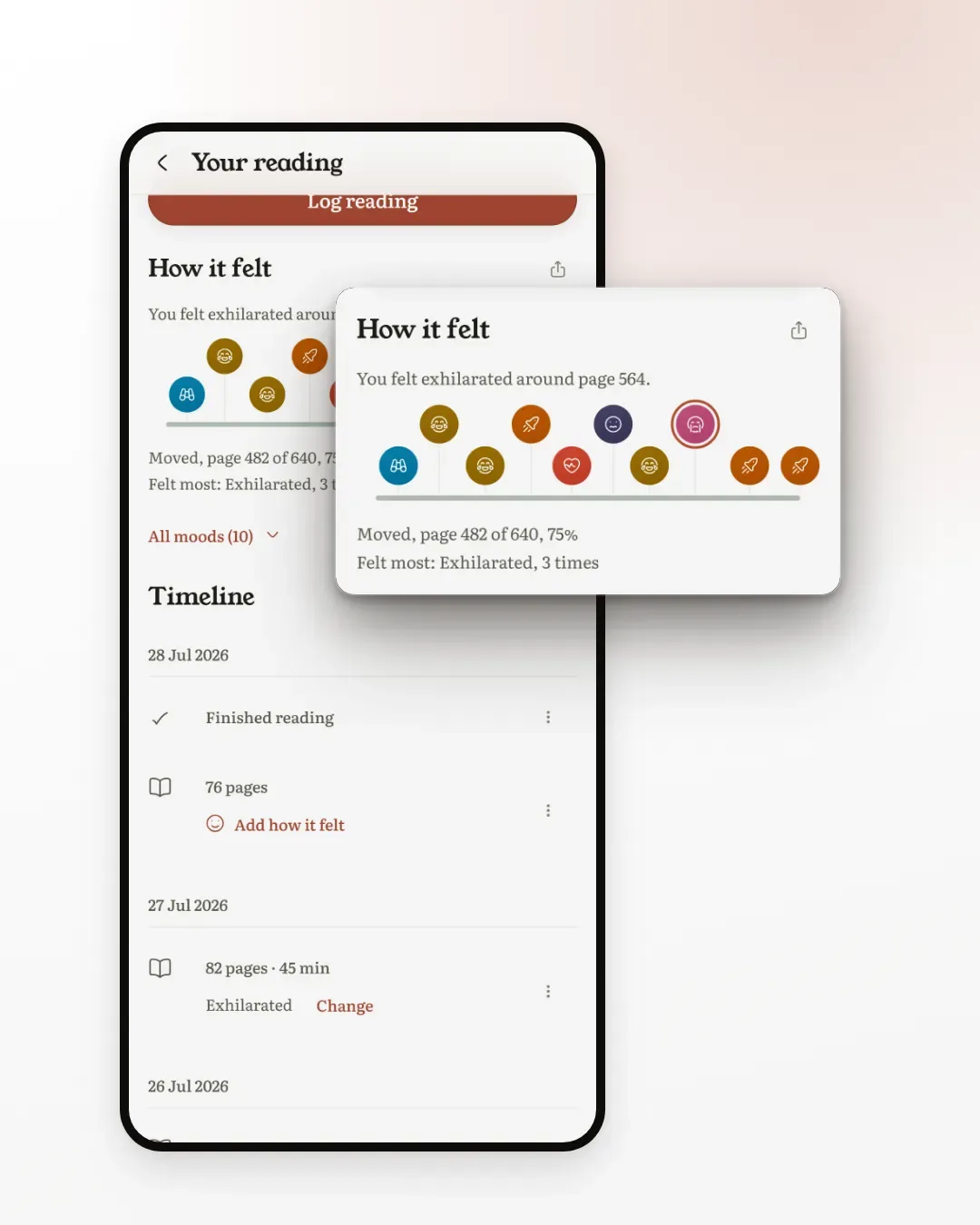
Here's Memories of Ice for comparison. Same kind of line, completely different shape.
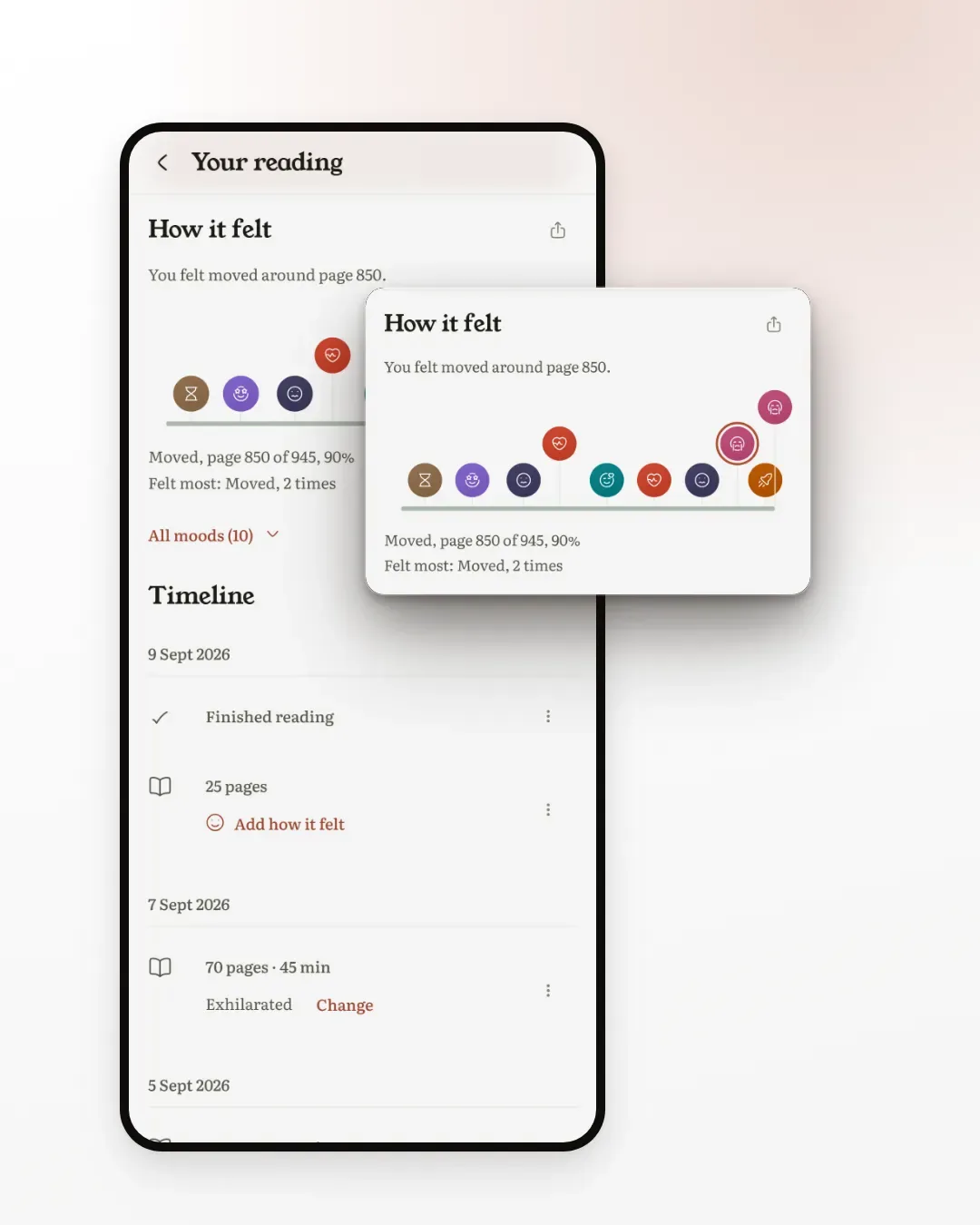
Put next to a Pratchett, the three look like this. Carl keeps swinging back to funny. Memories of Ice goes everywhere. Guards! Guards! does one thing the whole way through.
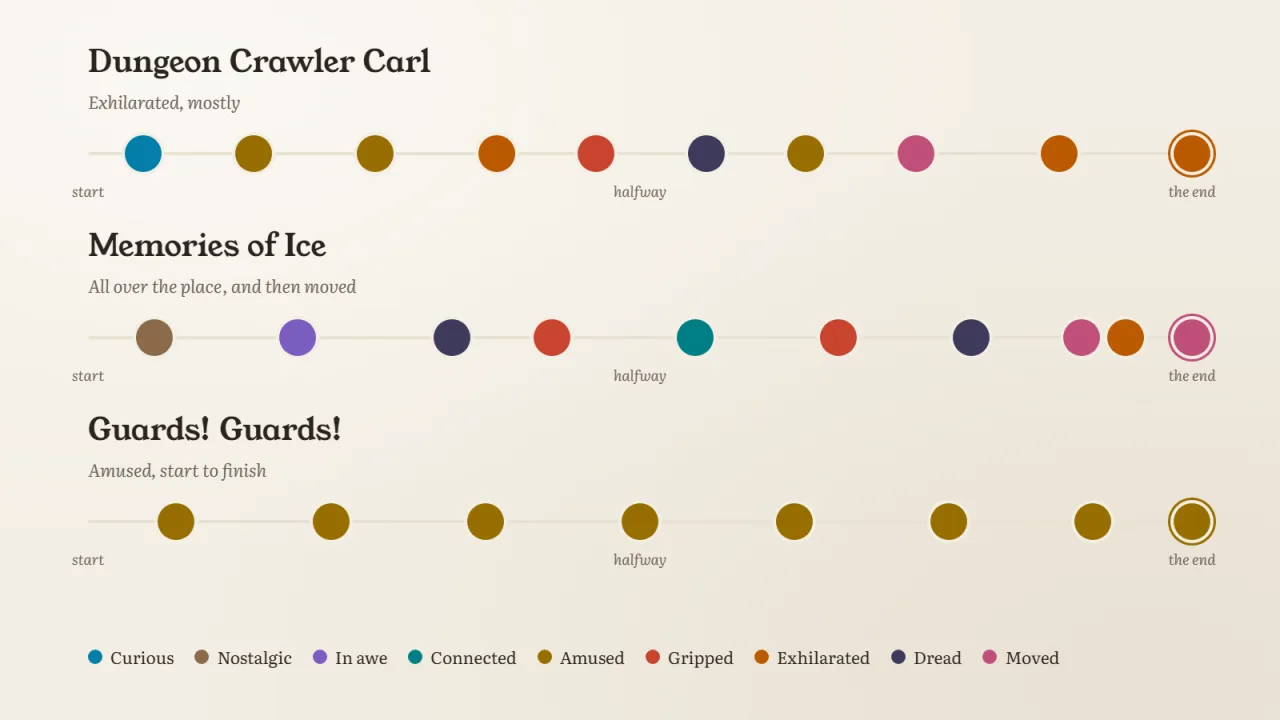
That's why I bother. Same rating, very different books. Next time a friend asks for "something like Malazan", I can ask which part they mean.
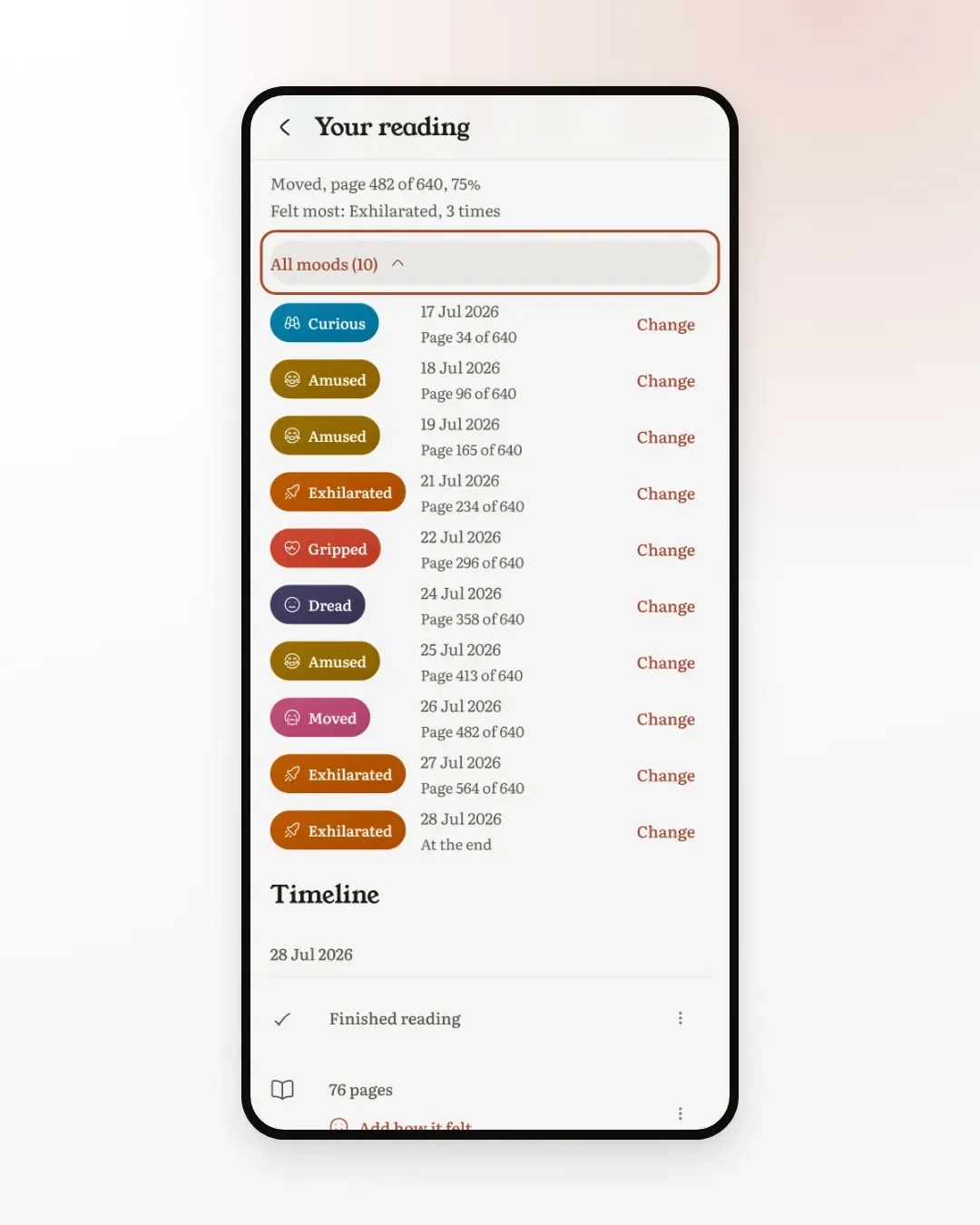
Tap All moods under the line for the full list, in order, with the date and page of each one. It's the easiest way to read the journey if the dots are small on your screen, and it includes moods you logged without a page.
Step 4: Say how the ending left you
When you mark a book as finished, Seekquel asks how you'd rate it. After your first star, one more question appears: How did it leave you?
It uses the same twelve words. One tap. This one isn't about the last sitting. It's about the whole book, the feeling you walk away with.
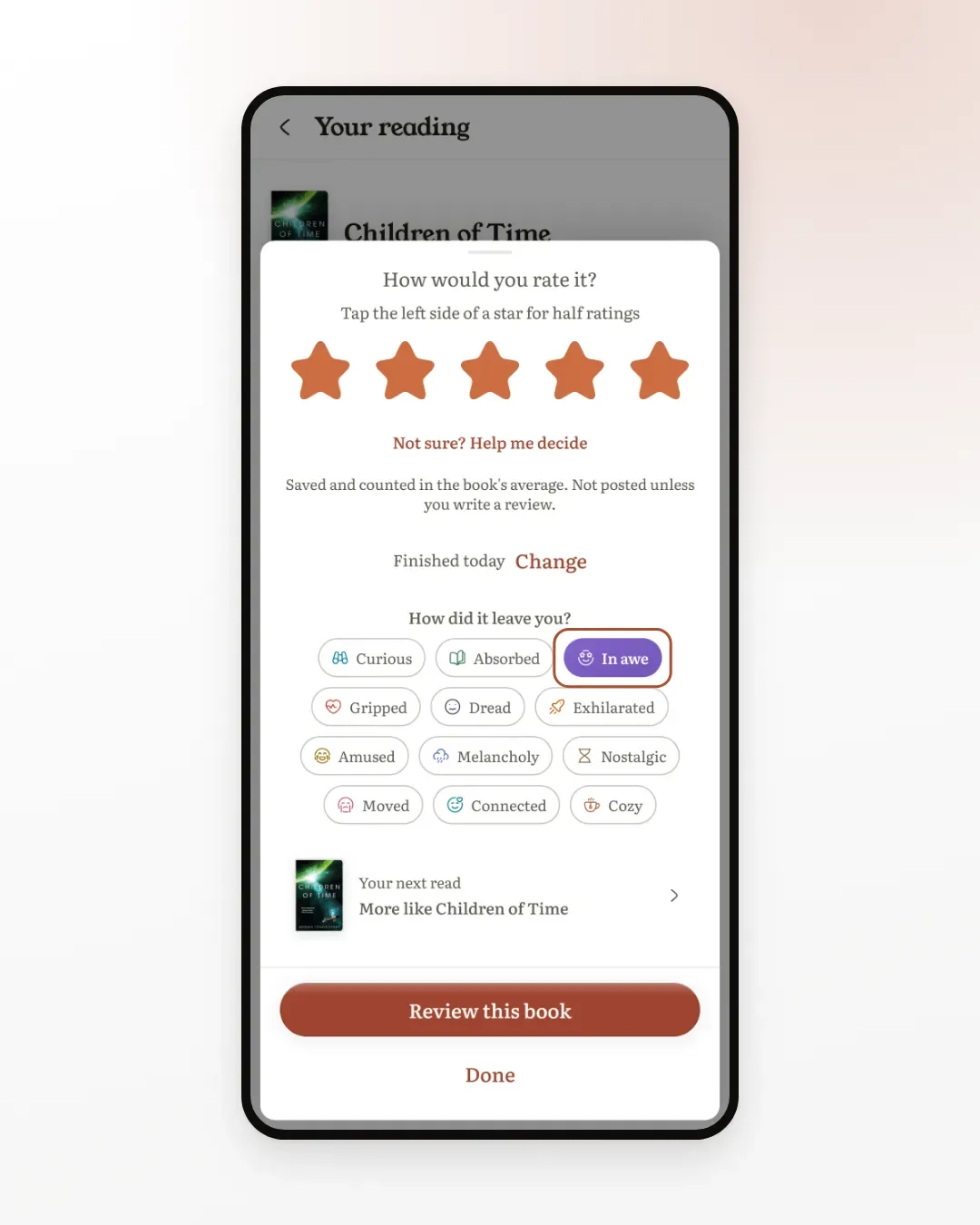
That answer becomes the last stop on the book's journey, right at the end of the line. It's often my favourite one. A book can be mostly gripping and end on moved, and that ending is usually what I remember.
If you read on a Kindle or Kobo with KOReader, the book finishes on the device, with no sheet to answer. Seekquel asks the next time you open the app instead, on the list of books you finished while you were away. If you haven't set that up yet, here's how to sync KOReader.
Step 5: Fill in a day you forgot
Sometimes I log my place at a stop and forget the mood. That's fine. You can add it later.
On Your reading, scroll to the timeline. Any day without a mood has an Add how it felt button. Tap it and choose.
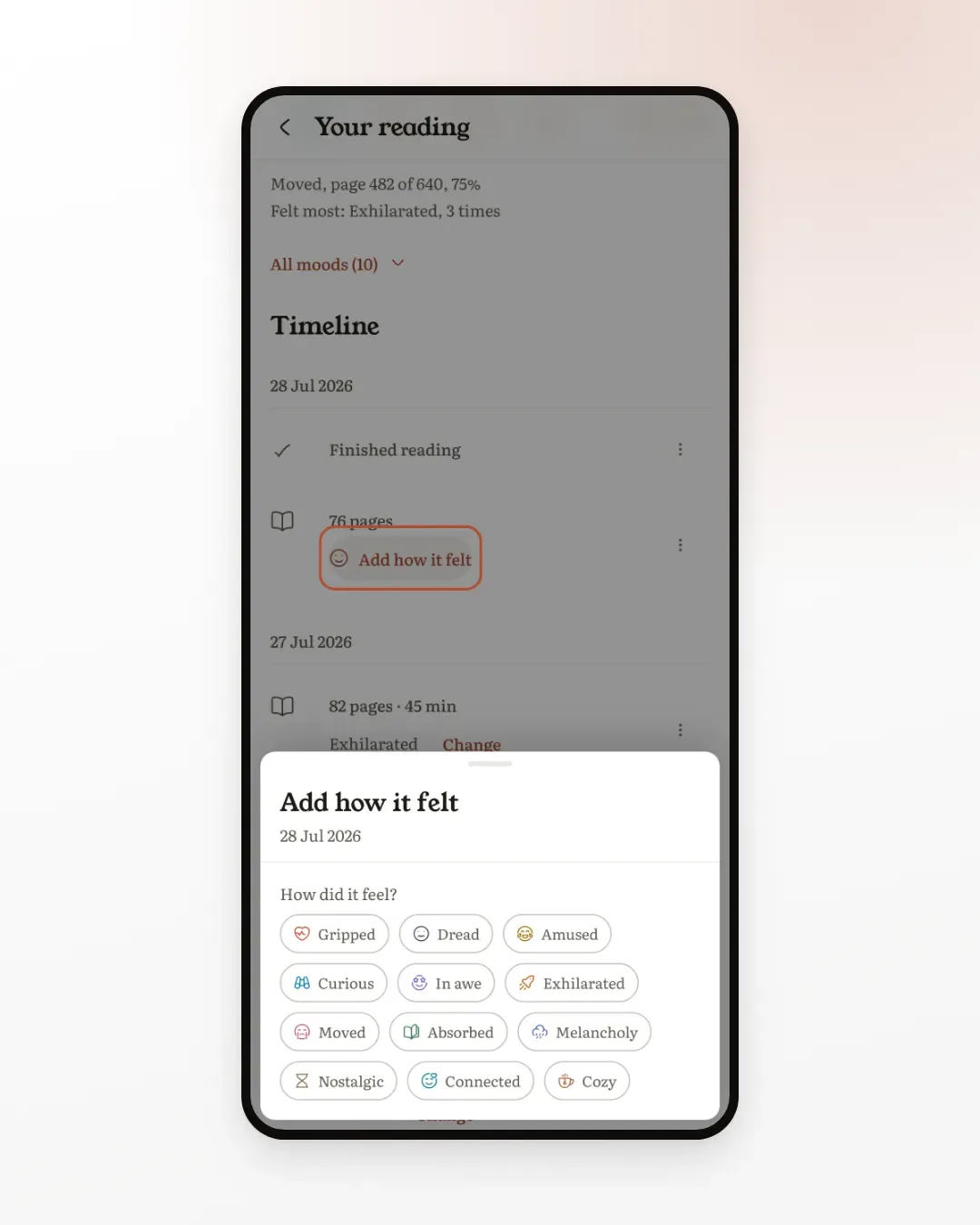
A day that already has a mood shows a Change button instead. So does every row in All moods. Tap the chosen mood again to remove it.
Days that came in from an e-reader work the same way. Your device sends the pages and the time, and the feeling is yours to add.
Step 6: Share the journey
Tap the share button next to How it felt and Seekquel draws the journey as a card: the cover, a line made from your moods ("Exhilarated, mostly"), and every mood in order along a winding path.
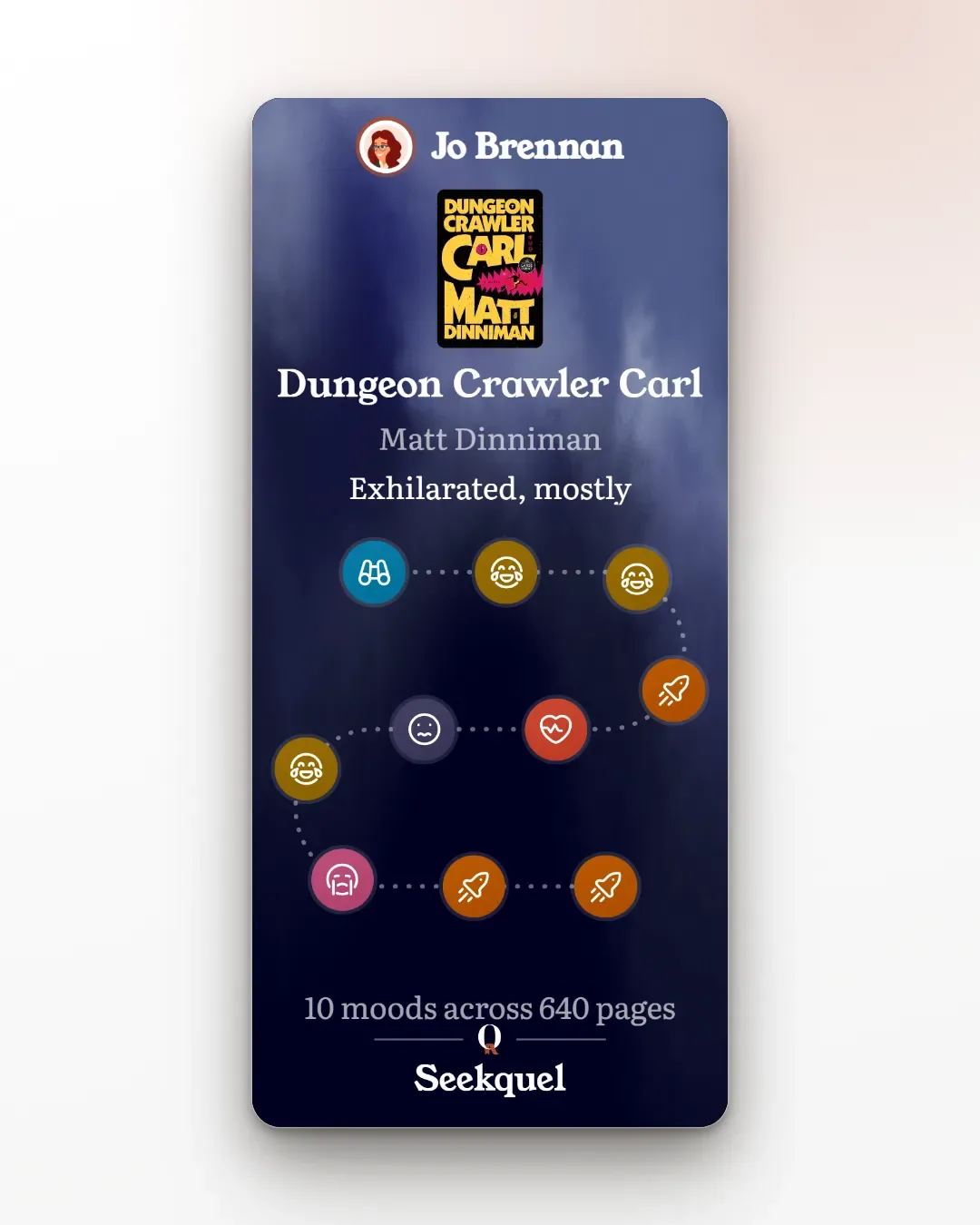
You choose Story or Square, the background, and whether your name shows. Page numbers are off unless you switch on Show where in the book, so a friend who hasn't read it yet won't learn where the big moment is.
It's my new favourite thing to post when I finish something. It says more than a star rating and it doesn't spoil anything.
Step 7: See what reading does to you
After a few books, the moods add up. A few places show you the bigger picture:
- Stats. The How my reading felt card lists the moods you log most, with how often. Tap Customize on Stats to add it. It's a Pro card.
- Your monthly wrap-up names the mood your month felt like most.
- Home sometimes shows a card from a year ago today, when you logged a mood on that date. It's a nice surprise.
- Your profile shelf can wear the colour each book left you with. Switch it on in the shelf editor, under Display.
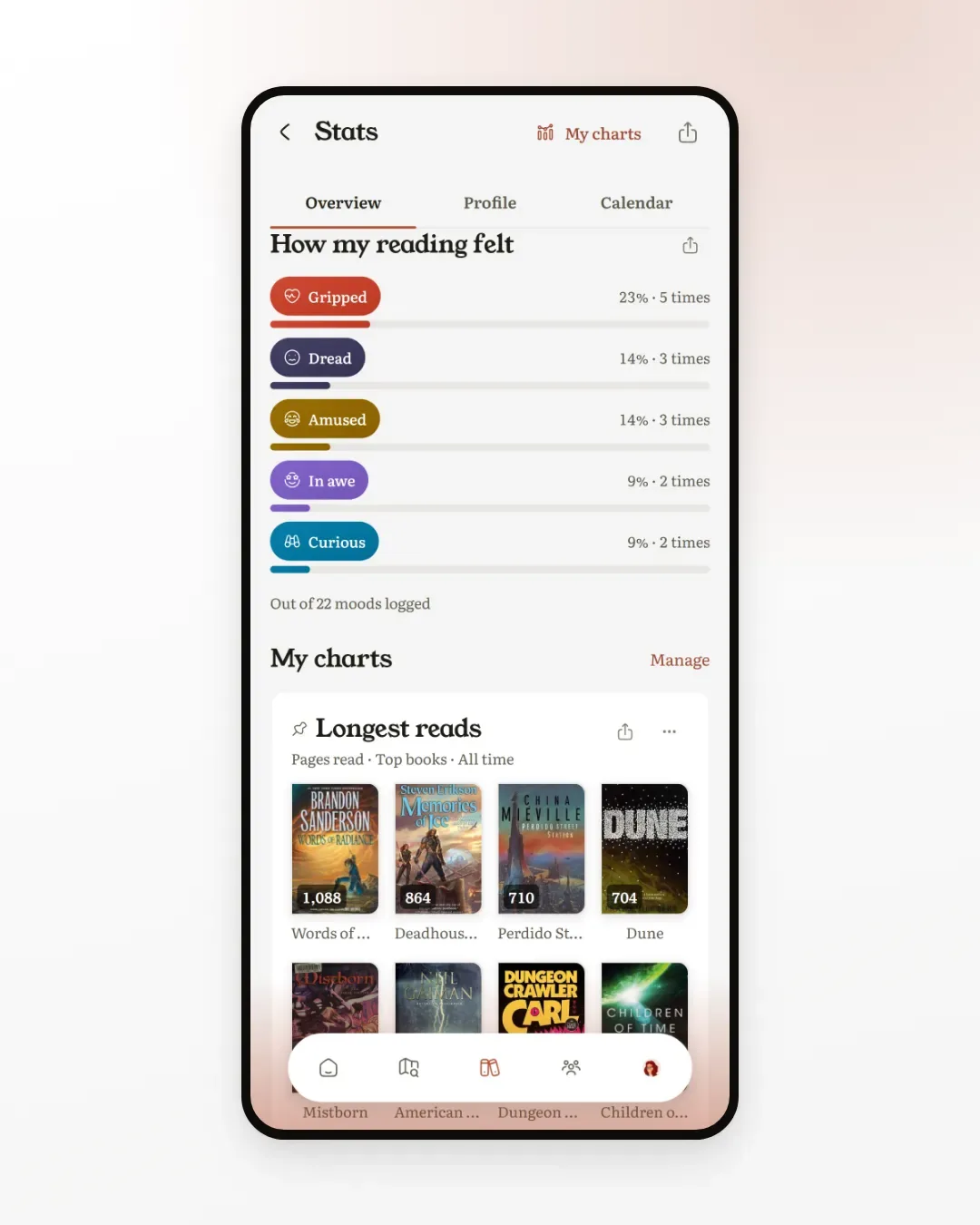
Mine says Gripped, then Dread, then Amused. That's Malazan, Carl and Pratchett in three words. It also told me something I hadn't noticed: I almost never log Cozy. I might go looking for a cozy book next.
Who sees your moods
Your journey is yours. The line on Your reading is only ever shown to you. The Journey card goes out only when you share it.
Book pages do show one line once enough readers have logged a mood on that book: "Readers felt: gripped, moved, and cozy". It takes at least ten readers, it never shows a number or a name, and books you read quietly or keep private are left out. It's a nice way to choose a book by feel before you start it.
A few habits that help
- Log the mood right after you close the book. Ten minutes later it has already faded into something more polite.
- Don't log every sitting. Log the ones that felt like something. Five moods across a book is plenty to see its shape.
- Let a book surprise you. If you expected a comedy and felt melancholy, log melancholy. Those are the books worth remembering.
- When one word isn't enough, add a note. Add details on the log sheet takes a Note. I keep mine to a line: "the boots", "that chapter". Future me knows.
Your first week
- Tonight: log your reading as usual and tap one mood. Pick the strongest feeling of the sitting.
- Tomorrow: log a second one. Open Your reading and watch the journey start.
- This weekend: go back to a book you finished recently and add a mood to a day you remember well.
- When you finish your book: share the Journey card, or just have a look at it.
Next hike, I'm taking a Pratchett. I already know which mood I'll be logging.