KOReader ships its own sync client. It carries your reading position between devices, and stops there.
Finish a book on your Kobo and nothing else follows it. No minutes read, no streak, no highlight from page 140. You typed all of that in by hand, on a phone, about a book you were reading somewhere else.
An add-on closes that gap. Copy one folder onto your reader, pair it once, and KOReader starts sending the rest. Reading time, highlights, finished books, status changes, the book's own details. Here's what it sends, how to set it up, and what's worth knowing before it touches your library.
What actually crosses over
What | When it goes |
|---|---|
Your place in the book | Every 20 pages, on a timer, when you close a book, when the device sleeps or wakes |
Reading time | Per day, taken from KOReader's own statistics |
Highlights and notes | Passage and your comment, stored separately |
Finished books | On reaching the last page, if that switch is on |
Reading status | When you set it from KOReader's own menus |
The book's own details | Once per file, the first time you open it |
Two numbers drive most of that traffic. Both live in the add-on's own settings file: a push after every 20 pages turned, and a background sync every 15 minutes. You can change either interval on the device.
Setting it up
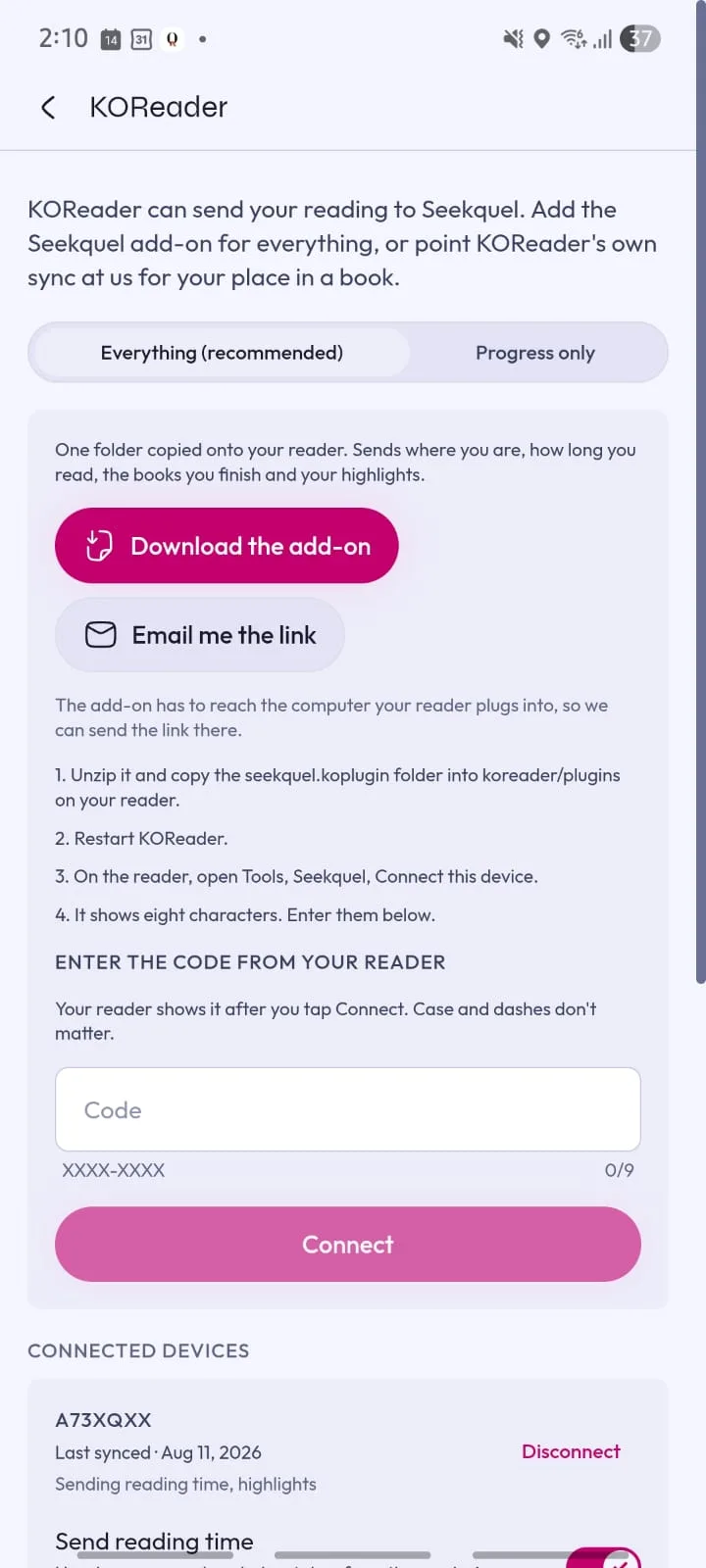
Download the add-on from Settings, Integrations, KOReader, in the Seekquel app.
Unzip it, and copy the
seekquel.kopluginfolder intokoreader/pluginson the reader.Restart KOReader.
On the reader: Tools, Seekquel, Connect this device. It shows eight characters.
Type those eight characters into Seekquel on a phone or computer.
Two things about that process are worth calling out, because they're the friction most readers expect and don't get.
Nothing gets typed on the e-ink keyboard. The device shows a code, and you type it somewhere with a real keyboard instead. No password ever touches the reader.
You also copy files across exactly once. KOReader has no add-on store, so the plugin updates itself from inside the menu.
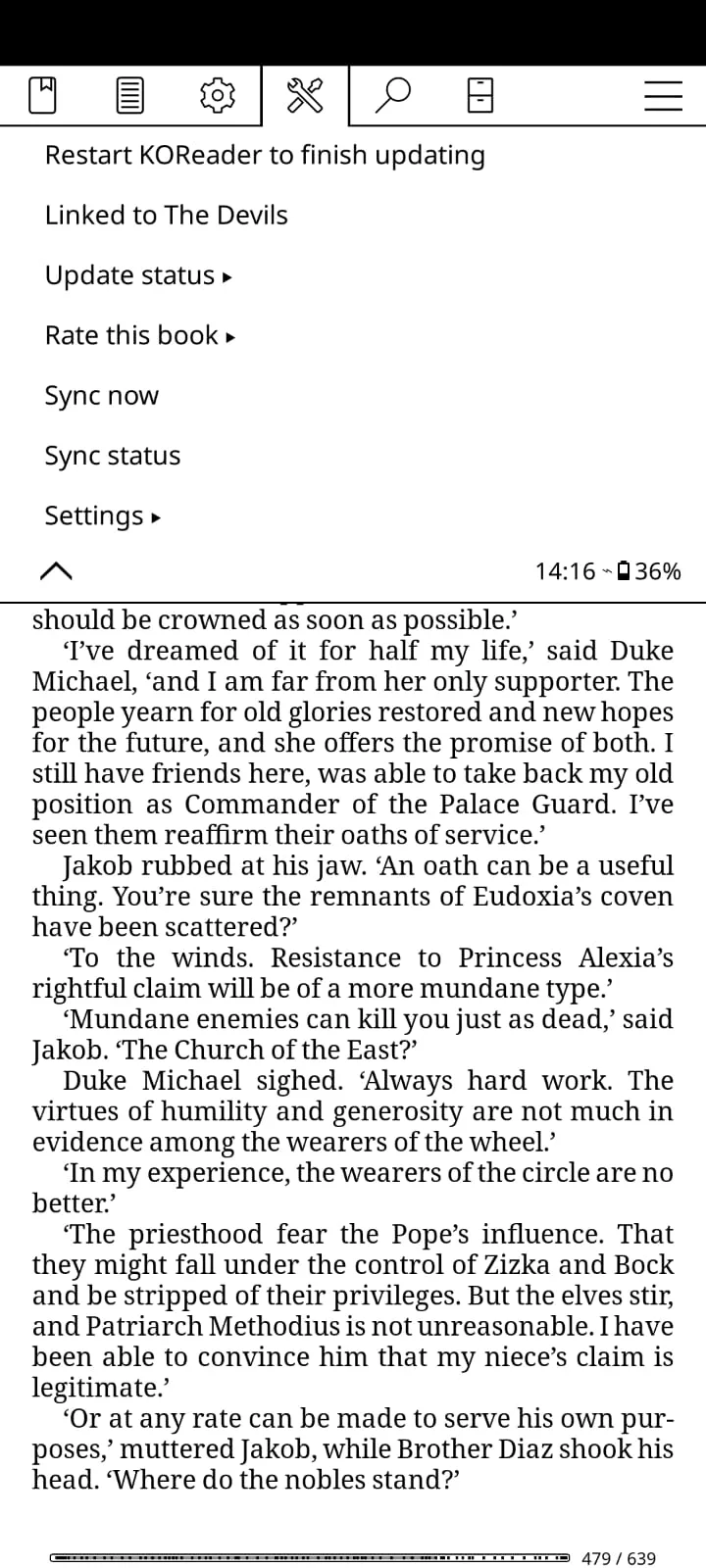
When the server has a newer version, Seekquel offers to install it. It checks the download before replacing anything, so a connection that drops halfway leaves the copy you're running untouched. The add-on never updates on its own. It only ever pulls from the server address that device is already set to.
Why a lookup at the back of the book doesn't count as reading
This is the best story in the whole integration, and it started as a bug report.
A reader 7% into a novel jumped to the index at the back to check a name. Their position went with them, recorded at 94%. That leap got billed to that day as pages read. It reached their followers as three quarters of a book finished.
Worse, the read-through's furthest mark now sat at the index. Every page they read afterward counted for nothing.
Version 1.5.1, released 16 August 2026, fixed it. The add-on now treats a forward jump of more than about three pages as a visit. It reports nothing until three more page turns confirm you're actually reading from there. KOReader always accepts a backward jump, since it can never credit you with anything you didn't read.
That three-page tolerance scales with the book. It means three pages in a hundred-page novel and three pages in a thousand-page one. Both figures come from the book's own page count, not a fixed number. Jump to an index, an endnote, a glossary, or the table of contents, and it costs you nothing. No minutes, no progress, no premature "finished."
Reading time is KOReader's own count
The add-on doesn't run its own clock. It reads the statistics KOReader already keeps, which log how long each page stayed open.
That has one consequence worth knowing up front. No single page is ever worth more than two minutes, however long it actually sat open. And KOReader doesn't count time while the device is asleep. Fall asleep mid-page and it costs you two minutes, not the eight hours until you wake up.
That ceiling is a KOReader setting, not a Seekquel one. It lives under Settings, Statistics, on the device itself, and you can change it there.
Nothing gets guessed at
The first time you open a file, Seekquel asks which catalogue book it is. You search, you pick, and Seekquel remembers the match for that file from then on. A file it can't place waits for you instead of getting added on your behalf. Choosing "not in the catalogue" turns it into a private book, visible only to you.
That, too, traces back to a defect. An unmatched file used to get saved as a private book automatically, and shelved as reading. A series filename with a volume number then meant a second copy of a book already in the library. It got announced under a filename instead of a title. A guess shouldn't get to speak for you.
Until you link a file, no reading time or highlights go anywhere for it. Minutes filed against the wrong book are worse than minutes nobody recorded. Nothing is lost while it waits, either. Your place stays on the device, and everything catches up the moment you answer.
A page turn never waits on the network
Turning a page only schedules a sync. It never waits on one.
A sync already in progress gives up after 20 seconds, and leaves the rest for the next attempt. A bad connection costs a pause, not a growing wait. Seekquel leaves an unresponsive server alone for two minutes. One unreachable server then costs one pause, not one per message. Waking the device or joining a network ends that wait early.
One limit is worth stating plainly. A sync itself blocks while it runs. On a poor connection, the screen can sit still until one finishes.
Highlights are never deleted
Remove a highlight on the device, and it stays in Seekquel. Losing a note because one device stopped reporting it would be worse than keeping one you no longer want. A book moved between devices routinely arrives with an empty annotation list anyway. Delete a highlight in Seekquel if you want it gone.
Seekquel stores your comment apart from the passage itself. The book's words and your words are two different things.
Who wins when a setting disagrees with itself
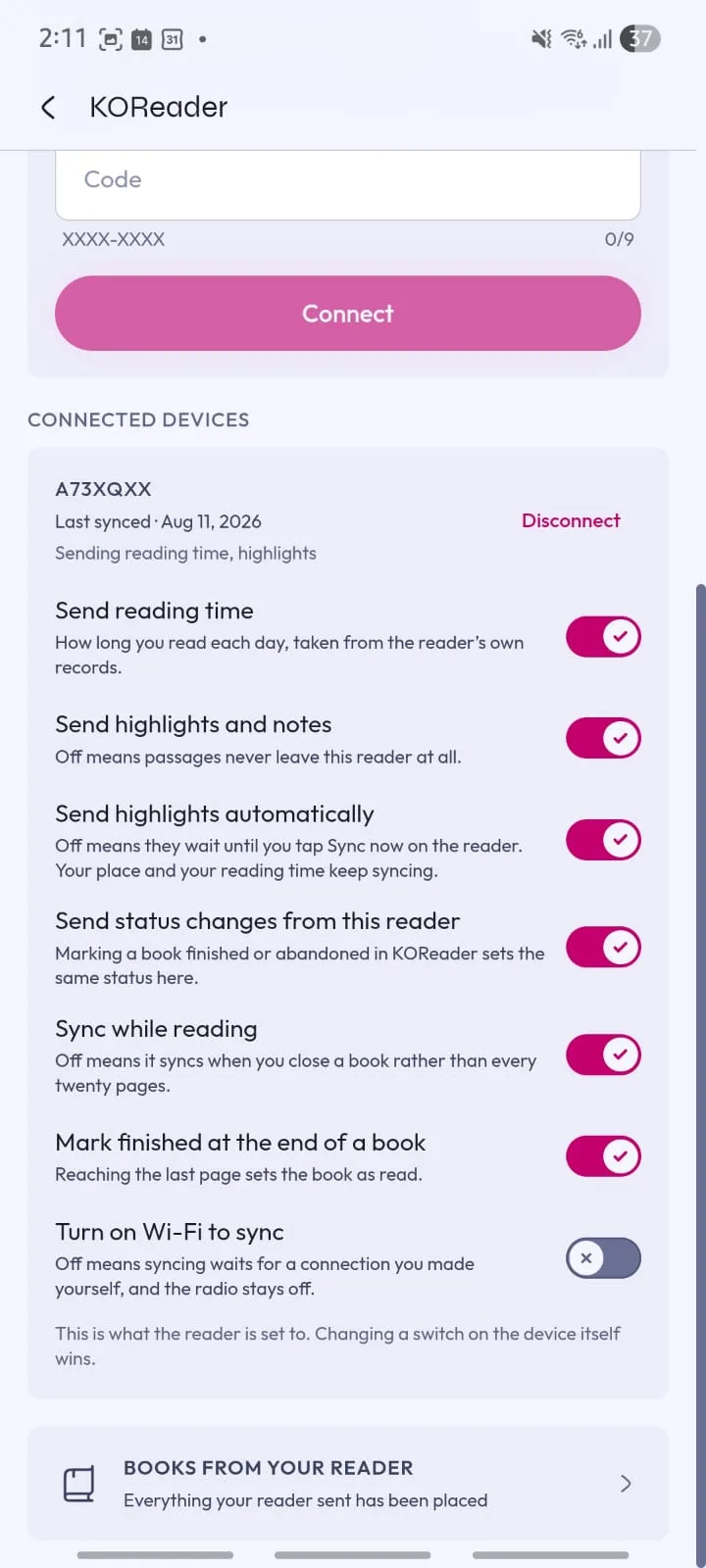
You can set every switch on the reader, under Tools, Seekquel, Settings, or from the app. Each one works independently:
Reading time
Highlights
Sending highlights automatically
Status changes
Marking a book finished at the end
Syncing while you read
The sync timer
Turning on Wi-Fi to sync
Turning on Wi-Fi to sync is off by default. Syncing waits for a connection you made yourself, and the radio stays off otherwise.
The sync timer defaults to 15 minutes. You can set it to 5, 30, or 60 minutes, or turn it off. It exists because page turns used to be the only trigger inside a book. A reader who set the book down after a few pages, without closing it, sent nothing until they reopened it.
A switch changed on the device always wins, because it takes effect immediately and works with no connection at all. A change made in the app is only a request. The device picks it up the next time it connects. For a reader that's off or out of range, that can mean days. The app says so, rather than claiming the change has already landed.
Privacy, and where the key actually lives
The add-on is AGPL-3.0, the same licence as KOReader itself, and the source sits on GitHub. There's no analytics baked in. It talks to your Seekquel server and nothing else.
Seekquel stores the device key that authorizes syncing in plain text, in koreader/settings/seekquel.lua. There's nowhere better to put it. KOReader runs unprivileged on a filesystem you mount over USB. A keystore on that device would be theatre, not protection. The key can only sync, nothing more. You can revoke it from Settings, Integrations, at any time.
Self-hosting works, too. Tools, Seekquel, Server address points the add-on at a server you run yourself instead of Seekquel's.
Where it runs
Anywhere KOReader already runs: Kindle, Kobo, PocketBook, Cervantes, reMarkable, Android, Linux, and macOS. KOReader has to already be on the device. The add-on installs inside it, and doesn't install KOReader for you. On Kindle, that means a jailbreak first.
Early days, on purpose
Two things this add-on doesn't do, deliberately. It doesn't send cover images. Decoding a cover out of a book file crashed KOReader outright on a tester's phone, twice, on two different books. That path got removed in version 1.4.3. Covers now only ever apply to a reader's own private book that has none. Seekquel finds those on its own. And it isn't finished or stable. It's been running on real e-readers with a small group of readers since August 2026.
Bug reports are welcome, and one detail makes them useful. The add-on writes down what it's about to do before every sync, and clears the note once it gets an answer. If the reader dies mid-sync, that note survives and gets reported the next time it connects. Nothing about what was highlighted is in it, just the name of the step. Check Sync status on the reader before filing a report. It says where things stopped, most of the time.