The short version
- Each book has one page. Formats, translations and narrated audiobooks are editions on that page. Dramatized audio is a separate book.
- Confirm every fact in two independent sources, and say where you found it.
- A blank field is better than a guess.
- Descriptions carry no spoilers and no marketing copy.
- Report duplicates and mistakes. Never overwrite a book to fix one.
A book and its editions
The book holds what is true however you read it: title, authors, series, description, genres and characters. An edition holds what belongs to one printing or recording: format, ISBN, publisher, language, pages, narrator, runtime and cover.Unsure? Ask whether it is the same text.
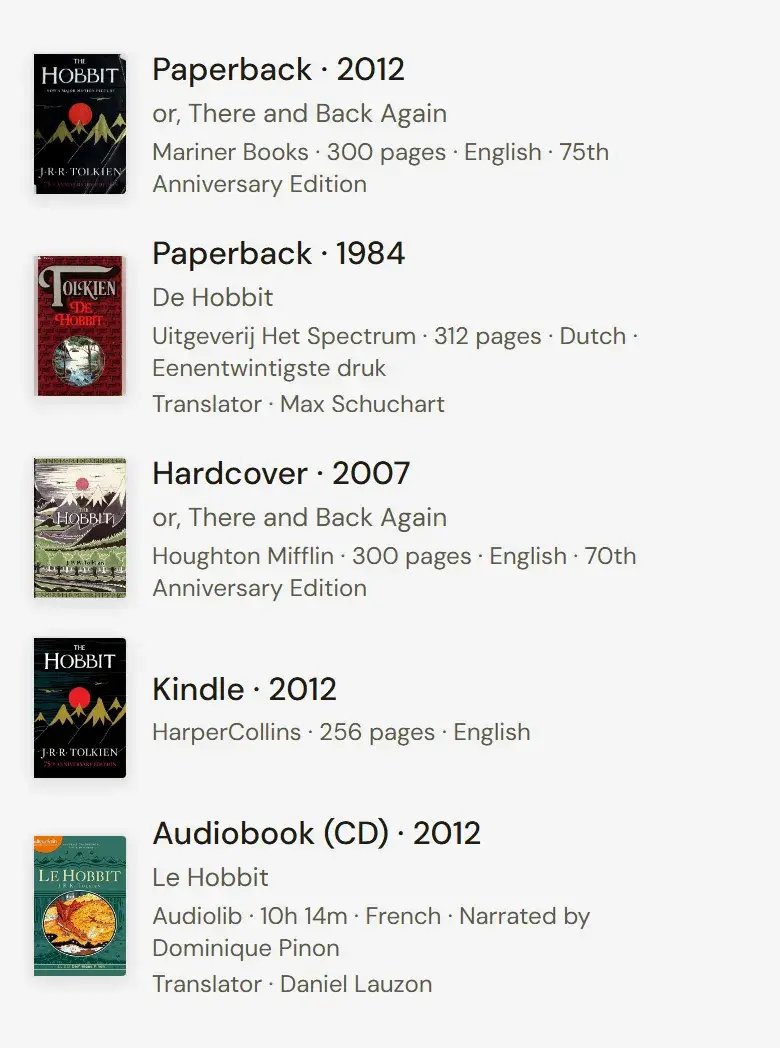
Add as an edition of the existing book
- Other formats
- Hardcover, paperback, ebook and Kindle, including reissues, new covers and anniversary editions.
- Audiobooks
- Read by a narrator, even a famous one. A novel read aloud is still a novel.
- Translations
- The edition takes the translated title and its language. The book keeps its original title, original language and first publication year.
- Retitled editions
- The same book under another title in another market, such as Shadow and Bone, published in the UK as The Gathering Dark.
- Abridged editions
- Put "Abridged" in the edition's title. There is no separate field for it.
- Annotated, illustrated and large print editions
- Same text, so same book. Credit the annotator, editor or illustrator on that edition.
Add as a separate book
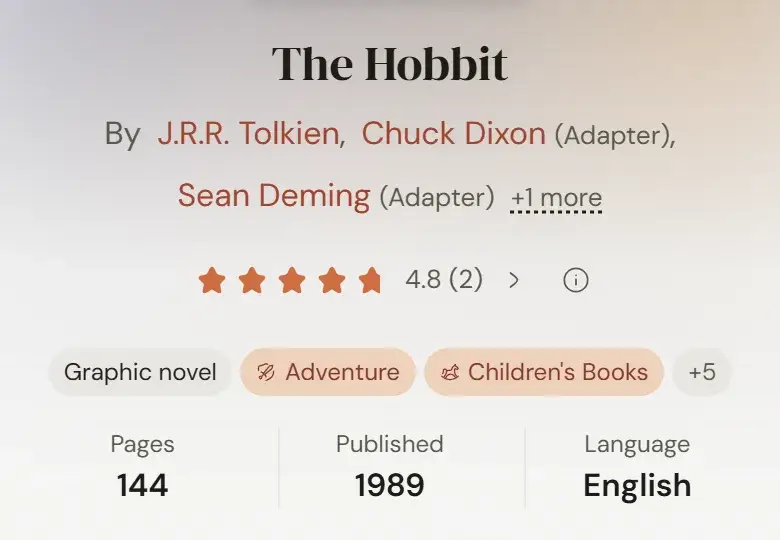
- Graphic novel and manga adaptations
- Rescripted and redrawn, with their own readers and ratings. They are linked to the original, never merged with it.
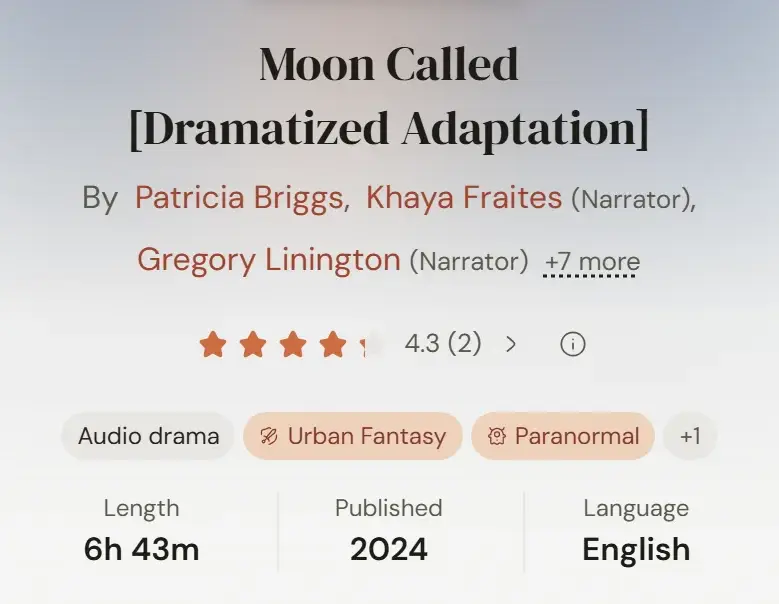
- Full-cast and dramatized audio
- Performed rather than read, so it is its own book. Set the kind of book to Audio drama. If the recording is released in parts, follow the split-volume rule below too. Link it to the source book through Add an adaptation on that book's page, under Audio dramas.
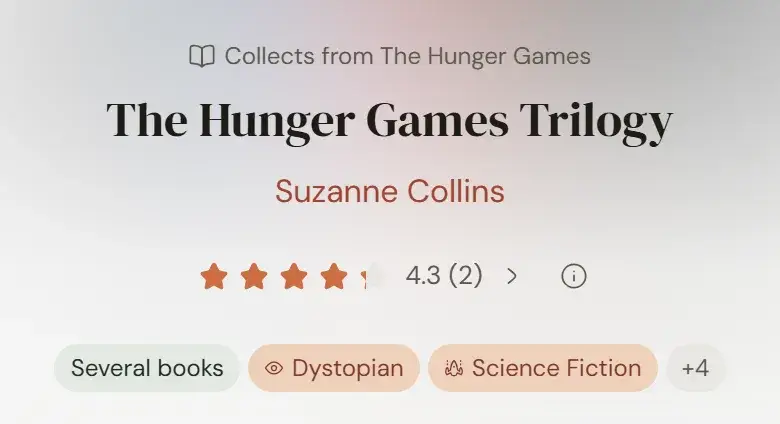
- Omnibuses and box sets
- Books first published on their own, bundled together. Set the structure to Several books and list what is inside.
- Split volumes
- A book released in parts, such as part 1 of 3. Set each part's structure to Part of a book. For GraphicAudio's Fourth Wing (1 of 2) and (2 of 2), keep each part as a separate Audio drama with its own ISBN on its edition. Both parts stay in the dramatized series without a number; Fourth Wing is book 1 of The Empyrean.
- Companions and retellings
- Study guides, companions, retellings and continuations by other authors share a subject with the original, not its text.
Films, TV series, plays and games are not books
Structure and kind of book
Structure says how a book is put together. Kind of book says what it is.- Single book
- One complete book, including one in a series. Story, essay and poetry collections count as single books.
- Several books
- An omnibus, box set or anthology of books that were each published separately first.
- Part of a book
- One volume of a single book the publisher split up.
Several books and Part of a book have no series number
Kinds of book
Choose one: Novel, Novella, Short story, Narrative non-fiction, Reference, Manga, Graphic novel, Comic, Poetry, Essays, Picture book, or Audio drama.A novella runs about 50 to 150 pages; a novel runs longer. Comic means single issues; a collected run is a graphic novel.Series
A gap in the numbers does not mean a book is missing
- Follow the publisher's numbering
- When publication order and story order differ, the publisher's order wins.
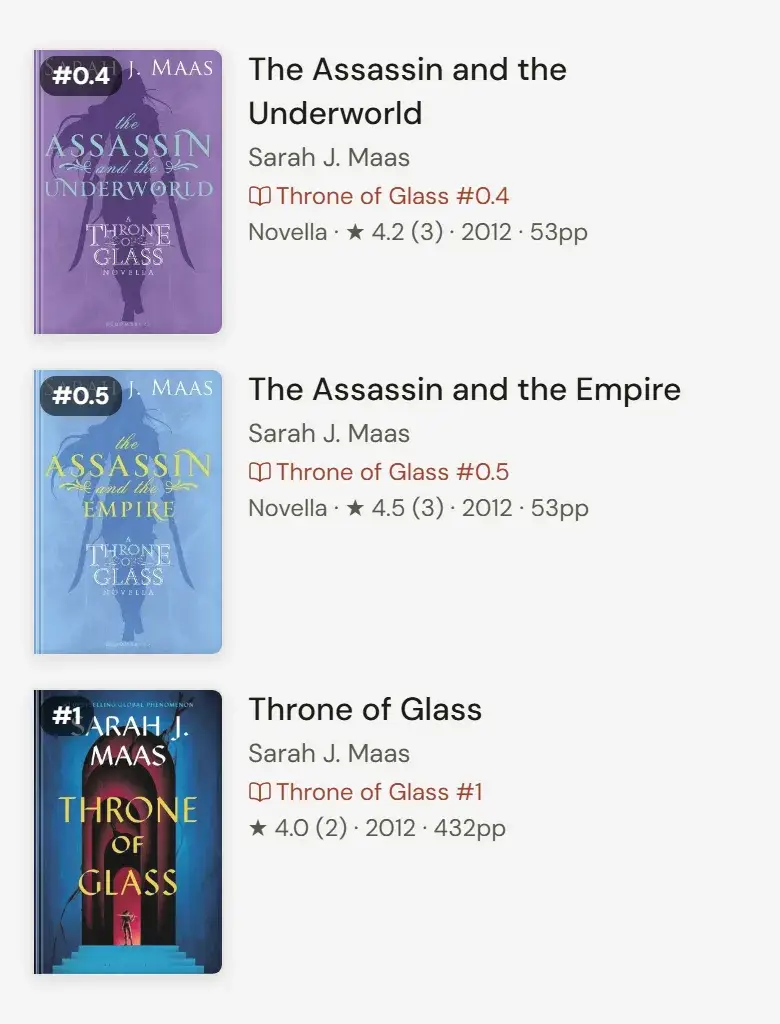
- Novellas and prequels take a decimal
- A story between books 2 and 3 is 2.5. Prequels before book 1 go below 1, such as 0.5.
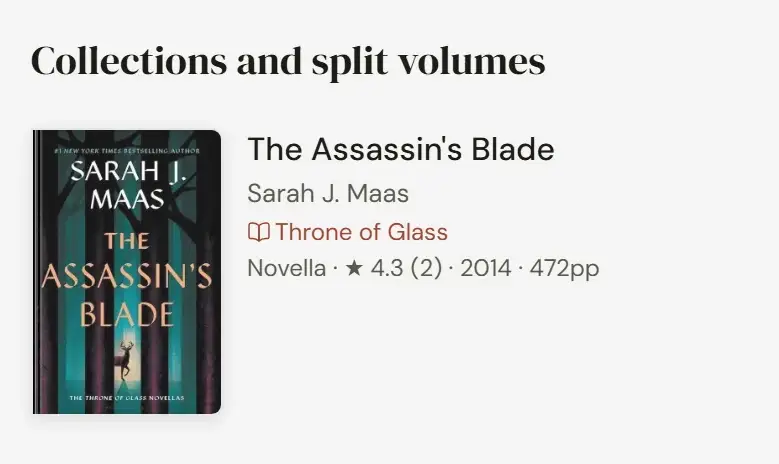
- Omnibuses and split volumes have no number
- An omnibus or a split volume stays in the series without a position.
- Same name, different author
- Two series with the same name by different authors are two series.
- Publisher lines are not series
- Penguin Classics, Puffin Classics and similar imprints are not series.
- Count what is published
- The number of books counts what is out, not what is planned. A series is complete once its final book is out.
Authors and credits
Wrong role? Change the role, don't remove the person.
- Cover order
- Credit authors in the order the cover lists them. The first one is the primary author.
- The right role
- Translators, narrators, editors, illustrators and foreword writers each have their own role, never Author.
- Book or edition
- Illustrators of picture books and graphic novels are credited on the book. Narrators, translators and editors are credited on the edition they worked on.
- Pen names
- Pen names and names in other scripts are alternate names of one author, not separate authors.
- House pseudonyms
- Keep them as printed. Every Nancy Drew book is credited to Carolyn Keene, whoever wrote it.
- Names
- Jr. and Sr. are different people. Leave out degrees and titles such as Ph.D. or Dr.
- Not an author
- Anonymous is correct for a book published anonymously. Various, Staff or a publisher's name is not an author.
Titles, dates and numbers
Copy ISBNs digit for digit
- Titles
- Use the title as the publisher prints it. Put an edition's subtitle in its own field, and leave labels such as (Book 1) out: the series carries the number.
- First published
- The year the book first came out anywhere, in any language. Each edition keeps its own date.
- Books not out yet
- Use the announced date and the edition shows as coming soon. A date several years away is usually a placeholder, so leave it out.
- Pages and runtime
- Take the page count from the edition itself or its copyright page. Audiobooks take a runtime instead.
- Language
- The language of the text in that edition, picked from the list.
Descriptions, genres and tags
No spoilers
- Descriptions
- Say what the book is about in plain, neutral language, in under about 1,500 characters. No emojis.
- No marketing copy
- Leave out review quotes, bestseller claims, prize lists and "perfect for fans of".
- Genres
- Up to four that honestly fit. A book is fiction or nonfiction, never both.
- Content warnings
- Only what is actually in the book, stated plainly and without judgment.
- Tropes, moods and pace
- Describe what happens on the page, not what the marketing promised.
- Characters
- Use the full name the book gives them. Leave out unnamed figures such as the narrator.
- Awards
- Only prizes the book won. Shortlists and nominations don't count, and a career prize such as the Nobel belongs to the author.
Covers
A wrong cover is worse than no cover
- The real cover of that edition
- From the publisher, a retailer's product image, or the book's Goodreads or Open Library page.
- Never
- A mockup, a 3D render, a photo of the book on a table, a box-set composite or a "cover coming soon" placeholder.
- Box sets
- Use the publisher's product image of the box itself. For a set, that is the cover.
- Audiobooks are square
- Use the square artwork, not the print jacket.
- Big and sharp
- Upload the largest clean image you can find. Images under 100 by 120 pixels are refused.
- Removing a cover
- Always goes to a reviewer.
Where to check facts
Two independent sources, and say which
- Publisher and author websitesThe first word on titles, release dates, series order and covers.
- Open LibraryEditions, ISBNs, publishers and covers.
- WorldCatLibrary records for editions and translations worldwide.
- Library of CongressAuthoritative records for US editions. Other national libraries are as good for their own countries.
- ISFDBScience fiction, fantasy and horror: editions, series order, short fiction and awards. Unusually reliable.
- WikipediaPublication history and awards, where the article cites a source.
- WikidataAwards and identifiers.
- GoodreadsBook and series pages for series order, editions and covers. Reviews there are opinions, not facts.
- Fantastic FictionBibliographies and series order for genre authors.
- AudibleNarrators and runtimes for audiobooks.
- Literary pressPublishers Weekly, Kirkus, Locus and newspaper reviews, for release dates and awards.
Not sources
- AI-written summaries and "book facts" sites.
- Pages that copy other listings, including many retailer and aggregator sites.
- Memory, including your own.
- Forum threads and reader reviews. They can point you to a fact but cannot confirm it.
The Librarian bookmarklet
One bookmark that reads the Goodreads or Audible page you are on and fills Seekquel in for you. What it does depends on the page.What it does on each page
- A Goodreads book page
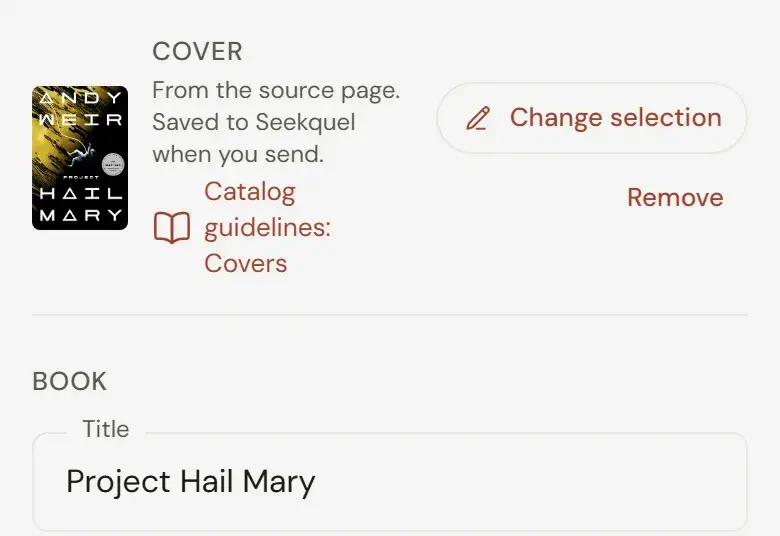
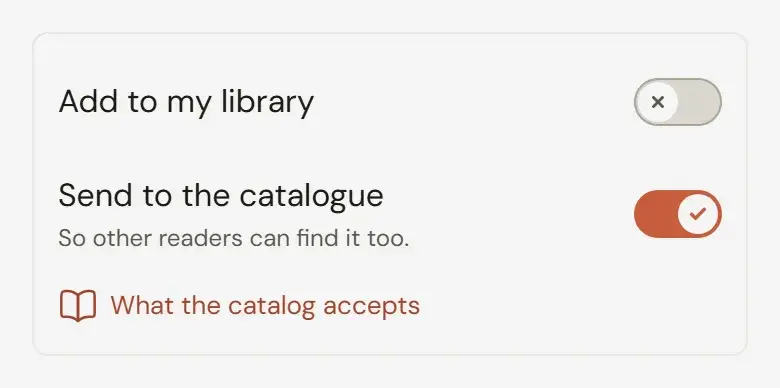
- Opens the add a book form filled in: title, authors, ISBNs, publisher, date, pages, format, language, series and position, description, cover, genres, moods, characters, settings, awards, translators and illustrators. The book's other editions come too, each removable. Sending to the catalog is on and adding to your library is off.
- A book the catalog already has
- Seekquel says so before the form and offers what the book is missing instead: editions, the cover, description and other details, series and position, authors the catalog already has, and new characters (a librarian checks each one first).
- An Audible audiobook page
- Reads the runtime and every narrator, and offers the audiobook to its book when Seekquel already has it.
- A Goodreads series page
- Reads every book in the series one at a time and lists them on Add a series as they arrive. New books are offered as new, known ones get their missing details and editions, and the series can gain its description and book count. Numbered books are ticked; omnibuses and box sets are left unticked. The run is kept for 30 days, and clicking again on the same series offers anything still missing.
- Imported books with only a title (librarians)
- On Add a series, tap Open Goodreads, then click the bookmark. It reads the next 100 books that readers' imports brought in with only a title, most-shelved first, and lists them the same way as a series.
Install it
- Show your browser's bookmarks bar: Ctrl+Shift+B on Windows and Linux, Cmd+Shift+B on a Mac.
- Drag the button below onto the bookmarks bar.
Seekquel LibrarianDrag it, don't click it.
Can't drag it? Copy the code, create a new bookmark and paste the code as its address.Use it
- Sign in to seekquel.app in the same browser.
- On Goodreads, open the page of the exact edition you want to add (its address contains /book/show/) or a series page (/series/).
- Click Seekquel Librarian in your bookmarks bar. Seekquel opens in a new tab and the Goodreads page stays open. If your browser blocks the tab, use Open in Seekquel on the Goodreads page.
- For a long series, choose Skip other editions in the Goodreads panel. Each book then brings only the edition on its own page, and the series reads twice as fast.
- All missing editions start selected. Search or filter the list, deselect any you do not want to add, check the fields, then send.
Goodreads makes mistakes too
How edits are reviewed
- Points
- An accepted edit earns 5 points; a rejected one costs 2. Points move you from Reader through Scribe, Curator, Editor and Archivist to Librarian.
- Instant edits
- From Curator, at 50 points, most of your edits apply the moment you send them.
- Still reviewed
- When the book is on 50 or more readers' shelves, when more than 1 in 10 of your recent edits were rejected, or when you send more than 25 edits in 5 minutes.
- Always reviewed
- A new book, a new series, moving an edition to another book, changing what an omnibus contains, clearing a cover, and any field a librarian has locked.
- Checked automatically
- Page counts, titles, publication dates, publishers and ISBNs are also compared against outside sources.
Duplicates and mistakes
Never overwrite a book to get rid of it
- The same book twice
- Use Report duplicate on its page. A reviewer merges them, and everyone's shelves, ratings and reviews move to the one that stays.
- An edition under the wrong book
- Open the Editions tab and choose This is a different book.
- Unpublished work
- Fan works, personal documents and anything unpublished stay in your own library as a private book.