Know who is reading your books
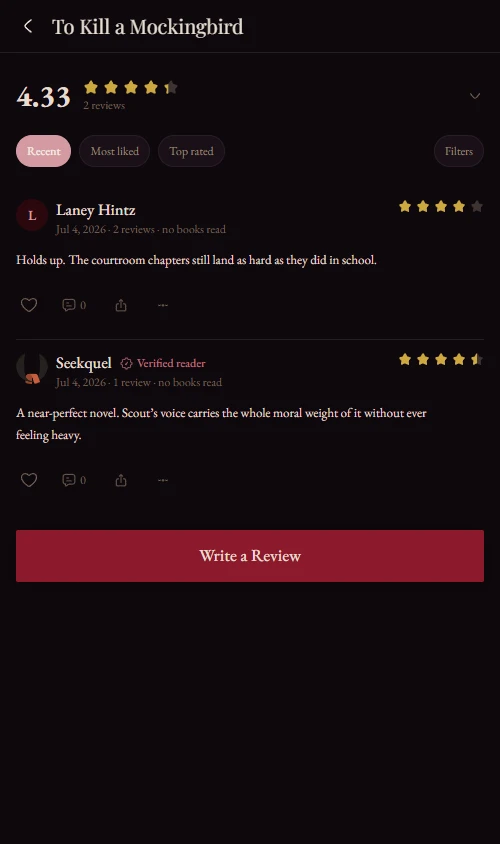
See profile views, followers and the titles readers open. Ratings count more from people who read the book.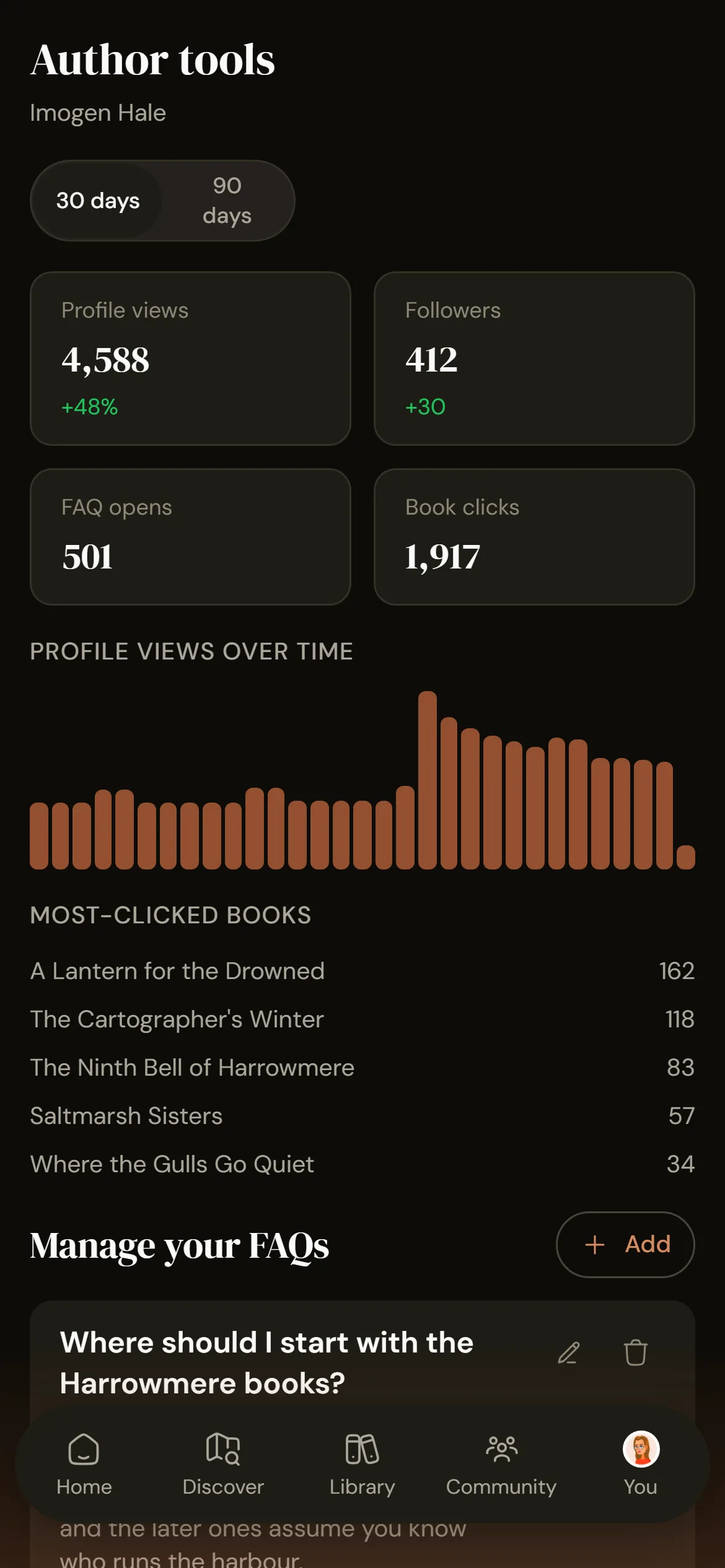
How it works
1
Claim your author page
Verify with a file on your website, an email on your own domain, a code from your official social account, or your publisher. The first two are automatic; the rest go to a person.2
See what readers do
Profile views, followers, FAQ opens and book clicks over 30 or 90 days, with your most-clicked titles ranked.3
Your rating reflects readers
Readers who keep your book on their shelf count more. Coordinated bursts wait for a moderator, and an anchored score barely moves under a pile-on.What claiming your page gets you
- A dashboard of views, followers, FAQ opens and book clicks
- Your own FAQ on your author page and each book
- Replies to reviews once verified, and every mention of you, your books or your series in one place
- Verified-reader weighting and surge detection on every book, with nothing to switch on
Frequently asked questions
Open your author page, tap Claim, then verify through your website, an email on your own domain, your official social account or your publisher. Website and email checks are automatic. Replying to reviews and editing FAQs need one of these; a self-attested claim is not enough.
No. Claiming, the dashboard and the FAQ tools are free, and nothing about ratings is for sale. Every title is treated the same.
No. Honest critical reviews always stand. Only unverified reviews arriving in a detected coordinated surge are held for a moderator; verified readers' reviews never are.
Someone with your book in their library as currently reading, finished, paused or did not finish, not want-to-read. Their rating counts for more in the book's average.
Get it on your phone.
Scan the QR or tap a store badge. Free on iPhone and Android.Scan to install