
Seekquel just shipped a batch of updates. The headline is a Chart Builder that turns your reading history into charts you design yourself. There are also two new Pro themes, a redesigned profile with social links, and a toolbox for authors.
Here is what each one does.
Chart Builder: your reading, your way (Pro)
Seekquel already tracks what you read. The Chart Builder lets you decide how to see it.
Open My Charts, tap New chart, and start with a measure. You can chart books read, pages, minutes, average rating, or reviews written.
Then choose how to break it down. Options include month, year, genre, author, format, day of week, page length, and fiction versus non-fiction. There is a Top Books view too.
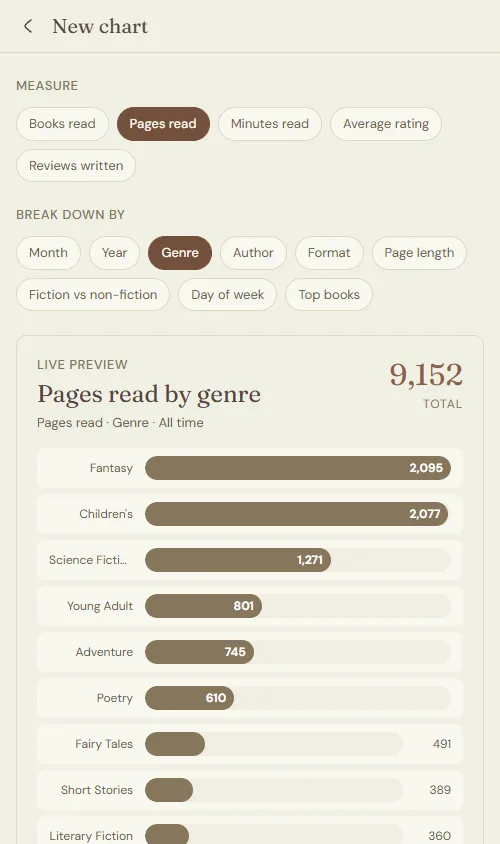
Every choice updates a live preview as you go, so the chart takes shape while you tweak it. No save-and-refresh loop.
Five ways to draw it
The same data can look very different depending on the chart type.
· Bar for clean rankings
· Donut for share of a whole
· Radar for comparing a few categories at once
· Tag cloud for genres or authors by volume
· Cover grid for a visual wall of your top books
You can cap the result to the top 5, 10, 15, or 20 entries, and scope it to this year or all time.
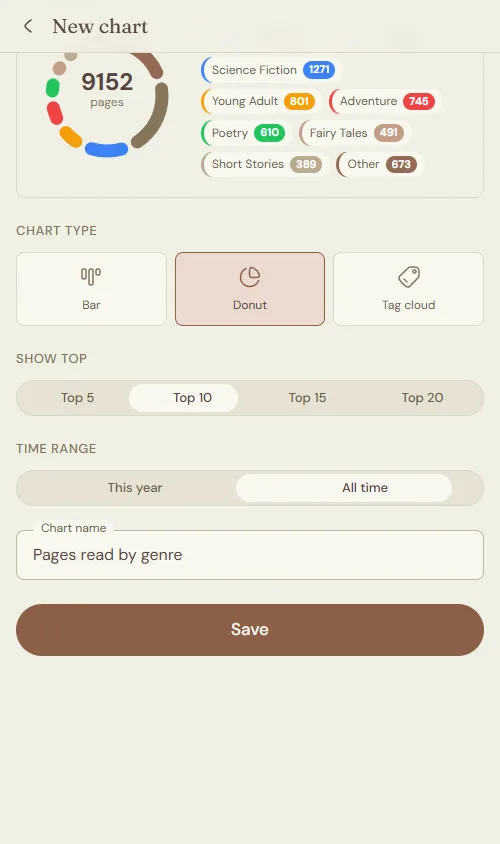
Name the chart, hit Save, and it lands in My Charts. Build as many as you want. Try a donut of genres or a cover grid of your highest-rated reads. The Chart Builder is a Pro feature.
Two new Pro themes
Seekquel themes change more than a color. Each one swaps the palette, the fonts, and small details like borders and shadows. Two new ones join the set.
Sketchbook, "The Hand-Drawn Page," pairs ink-gray tones with warm paper and one hand-drawn font, Architects Daughter. Pencil-line borders and soft shadows give it a notebook feel.
Clay, "The Adobe Studio," runs on warm terracotta over cream, with DM Sans and Fraunces for type. Hard offset shadows give cards a stamped, paper-cutout look.
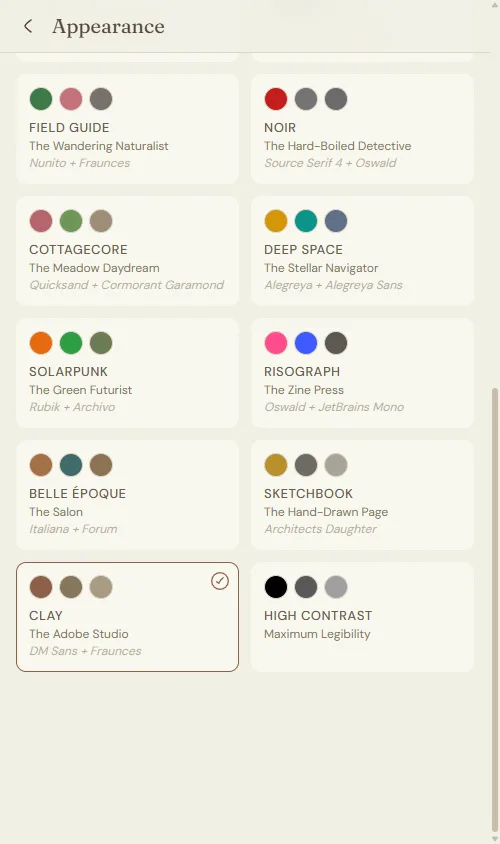
Both sit under Pro, alongside themes like Dark Academic, Ukiyo-e, and Cyber. Switch any time from Appearance settings, and the change applies across the whole app instantly.
A redesigned profile
Open any profile and the change is hard to miss. The header is cleaner. Your stats now line up in a single row you can read at a glance.
A new Reads Mostly panel sits under your name. It breaks your shelves down by genre and ranks them, so anyone can see what you actually read.
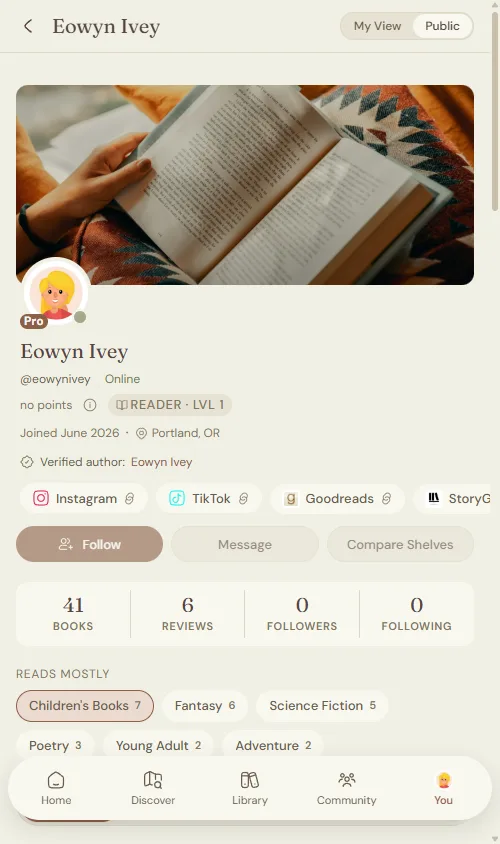
Books, reviews, followers, and following each get their own tile. Below them sit your current read and a feed of recent activity.
Show people where to find you (Pro)
A reader is more than a profile photo. You can now add links to the places you live online.
Instagram, TikTok, Goodreads, StoryGraph, X, and a personal website are all supported. Type a handle, drag the rows to reorder them, and save.
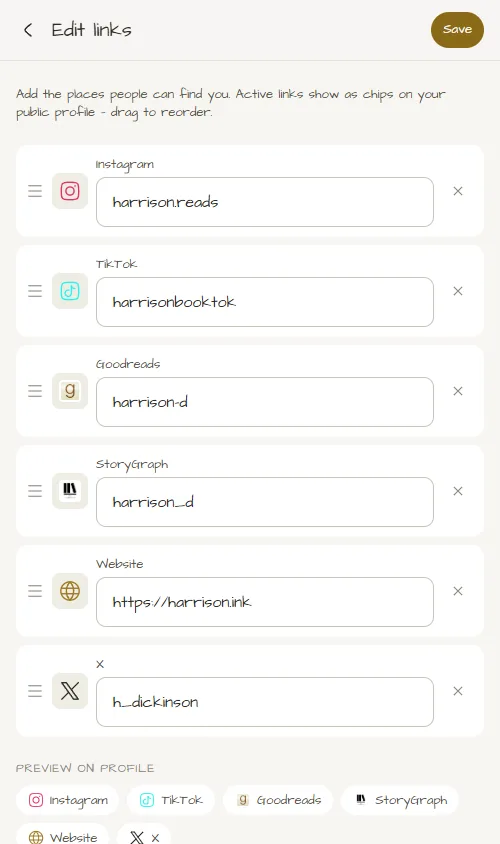
Active links appear as small chips on your public profile. One tap sends a visitor straight to your page.
The Author Toolbox
The last update is for the people who write the books.
Claimed authors now get an Author tools dashboard. It shows how readers find and react to your profile, without any guesswork.
Four numbers sit at the top: profile views, followers, FAQ opens, and book clicks. Each one carries a trend, and you can toggle between a 30-day and 90-day window.
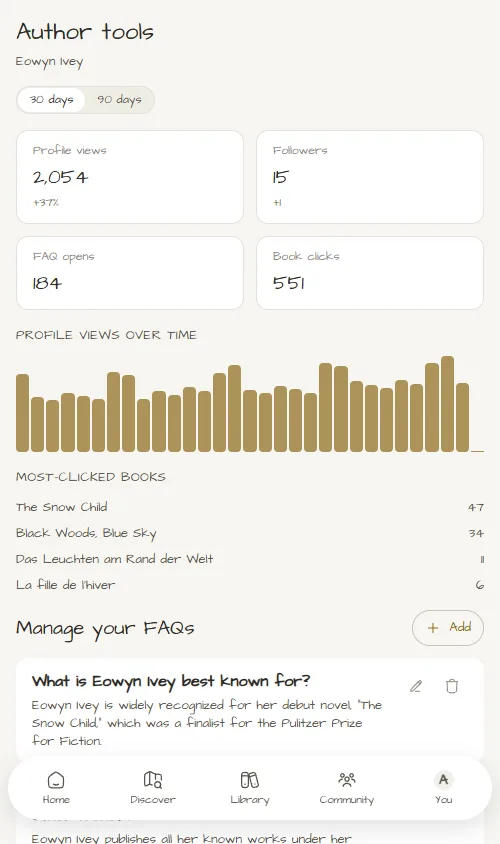
Below that, a chart plots profile views over time. A Most-Clicked Books list ranks the titles readers tap most, showing which book draws attention this month.
The dashboard also lets you manage your reader FAQs. Add a question, write the answer, and flag it if the answer spoils the plot. Edit or delete entries whenever you like, and they show up on your public author profile.
How to find them
Chart Builder and the two new themes need a Pro subscription. You will find charts under My Charts and themes under Appearance.
The redesigned profile and social links are free for everyone. Add your links from the profile editor.
The Author Toolbox opens once you claim your author profile. Search your name, claim the page, and the dashboard appears.
That is the round-up. Build a chart, dress up your profile, and if you write, go claim your author profile.